In this article
Passwords are stolen in data breaches, guessed by automated tools and captured by phishing. Two-factor authentication (2FA), also called multi-factor authentication, adds a second check that an attacker must also pass.
Key facts
- 99.22%: the reduction in account compromise risk from multi-factor authentication in a peer-reviewed Microsoft study.
- 98.56%: the reduction even for accounts whose password had already leaked.
- Strongest options: passkeys and physical security keys, which resist phishing.
- Protect your email first, because it can reset every other password.
How it works
After you enter your password, the service asks for a second proof that it is really you. That proof comes from something you have, such as your phone or a security key, or something you are, such as a fingerprint. Even if a criminal has your password, they cannot get in without the second factor.
How much difference it makes
In a peer-reviewed study by Microsoft researchers of accounts showing suspicious sign-in activity, enabling multi-factor authentication reduced the risk of compromise by 99.22 percent. For accounts whose passwords had already been leaked, the reduction was still 98.56 percent.
Stolen or guessed passwords were the most common way into organizations in Verizon’s 2025 breach report, involved in 22 percent of breaches. A second factor blocks most of those attempts.
Which method to choose
| Method | How it works | Protection |
|---|---|---|
| Passkey | Your device signs you in with a fingerprint, face or PIN; nothing to type | Very strong, resists phishing |
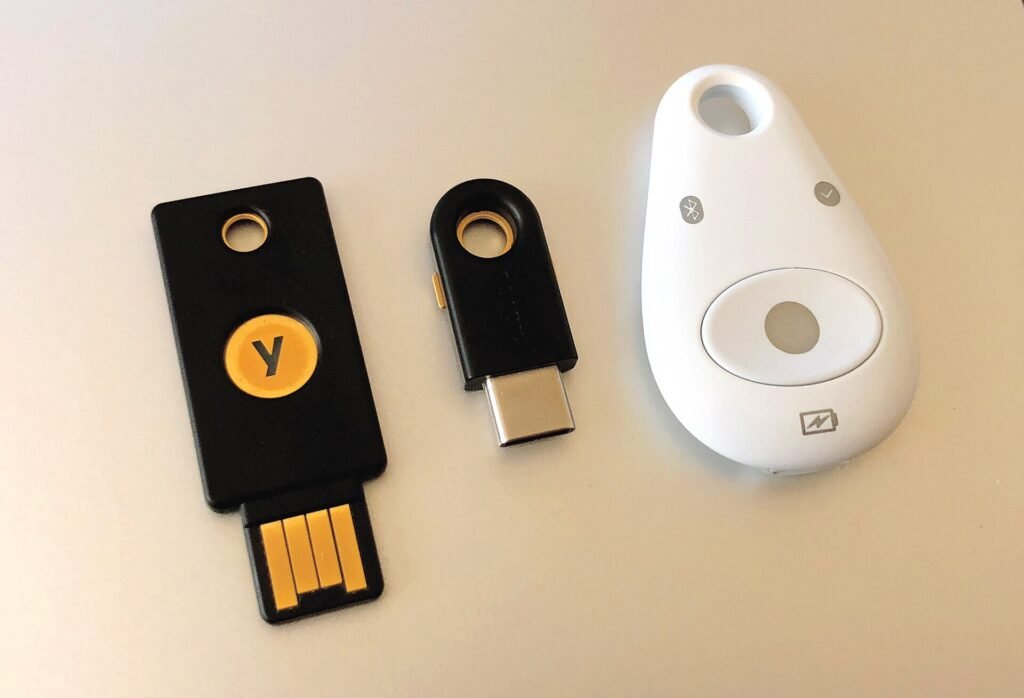
| Security key | A small USB or NFC device you tap or plug in | Very strong, resists phishing |
| Authenticator app | An app shows a six-digit code that changes every 30 seconds | Strong |
| Push notification | Tap “Approve” on your phone | Strong, but beware of repeated unexpected prompts |
| Text message code | A code sent by SMS | Better than nothing, but can be intercepted or redirected |
Watch out: if you suddenly receive a stream of sign-in approval requests you did not start, someone has your password. Do not approve them; change the password instead.
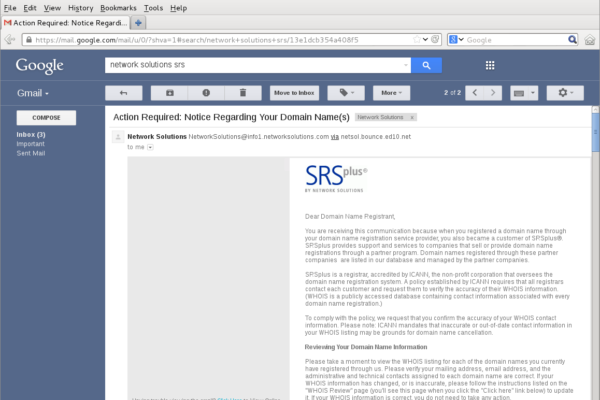
How to Recognize a Phishing Email Before You Click
Where to turn it on first
- Your main email account, because it can reset all your other passwords.
- Banking and payment apps.
- Your phone’s app store account (Apple ID or Google account).
- Social media, which criminals hijack to scam your contacts.
- Cloud storage holding personal documents and photos.
Keep your backup codes safe
Most services give you backup codes when you switch on 2FA. Store them offline, for example printed in a safe place, or in a password manager. They let you back in if you lose your phone.
The bottom line
Setting up two-factor authentication takes a few minutes per account and blocks the great majority of account takeovers. Combined with keeping software updated and knowing how to spot phishing, it is one of the most effective protections anyone can have.
Passkeys: the next step
A passkey replaces the password altogether. Your device stores a secret key and proves your identity with your fingerprint, face or PIN, so there is nothing to type and nothing a fake website can steal. Passkeys are built on standards from the FIDO Alliance and are supported by Apple, Google and Microsoft, and by a growing number of banks, shops and email services.
If a service offers passkeys, they are usually the easiest and strongest option. Keep at least one backup method in case you lose your device.
Setting it up takes minutes
- Open the account’s security or sign-in settings and look for “two-step verification”, “two-factor authentication” or “passkeys”.
- Choose a method, ideally a passkey, security key or authenticator app.
- Follow the prompts to link your phone or key.
- Save the backup codes somewhere safe and offline.
- Repeat for your most important accounts, starting with email.
A password manager makes the whole process easier, by creating strong unique passwords and, in many cases, storing passkeys and one-time codes too.
Frequently asked questions
Is SMS two-factor authentication still worth using?
Yes, if it is the only option. It blocks most automated attacks. Where possible, switch to an authenticator app, a passkey or a security key, which are harder to intercept.
What happens if I lose my phone?
Use your backup codes or backup method to sign in, then remove the lost device from your account settings. This is why saving backup codes when you set up 2FA is important.
Does two-factor authentication slow me down?
Barely. Many services remember trusted devices, and passkeys can be faster than typing a password.