In this article
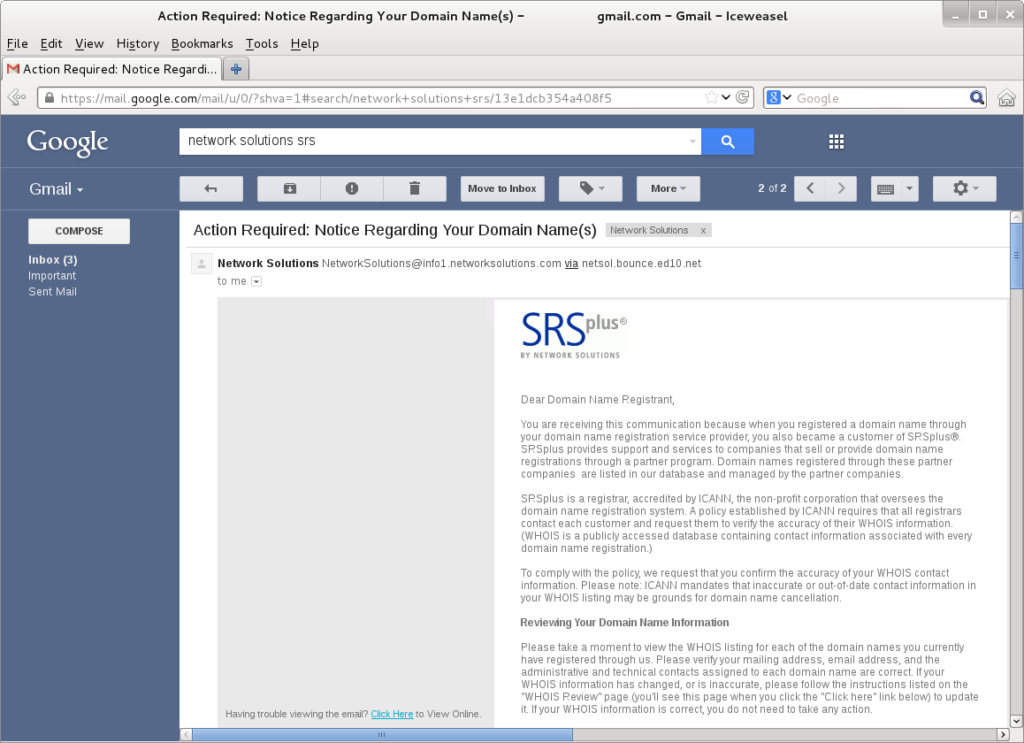
Phishing is when criminals send messages that pretend to come from a trusted organization, such as a bank, a delivery company or your employer, to trick you into handing over passwords, money or personal details. It remains one of the most common ways online attacks begin.
Key facts
- 191,561 phishing and spoofing complaints were made to the FBI in 2025, more than any other category.
- $20.9 billion in total losses were reported to the FBI’s Internet Crime Complaint Center in 2025, up 26% on 2024.
- AI: more than 22,000 complaints in 2025 involved AI, with about $893 million in losses.
- Best defense: slow down, check the sender and go to the website yourself.
How big the problem is
The FBI’s Internet Crime Complaint Center received more than one million complaints in 2025. Phishing and spoofing was the most reported category, with 191,561 complaints. Total reported losses across all crime types reached about $20.9 billion, a rise of 26 percent in a year. The real numbers are higher, because many victims never report.
Eight warning signs
- The sender’s address is slightly wrong, for example “paypa1.com” or a bank name at a free email service. Look at the full address, not just the display name.
- It creates urgency: “Your account will be closed in 24 hours.”
- It asks for a password, a code or payment details. Genuine organizations do not ask for these by email or text.
- The link does not match. On a computer, hover over it to see the real destination; on a phone, press and hold.
- An unexpected attachment, especially an invoice, a zipped file or a document asking you to “enable content”.
- A too-good-to-be-true offer: a refund, a prize or a parcel you were not expecting.
- A generic greeting such as “Dear customer”, though targeted attacks may use your name.
- A request to change payment details for a supplier or colleague. Always confirm by phone using a number you already have.
Not just email
The same tricks arrive by text message (smishing), phone calls (vishing), social media messages and QR codes. AI tools now make messages more fluent and personalized, so spelling mistakes are no longer a reliable clue.
Why Two-Factor Authentication Matters for Every Account
What to do if you are unsure
- Do not click the link. Open your browser and type the organization’s address yourself, or use its official app.
- Call the organization on a number you find independently, not one in the message.
- Report it: forward suspicious emails to your email provider’s report option, or to national services such as report@phishing.gov.uk in the UK.
If you already clicked
- Change the password for that account straight away, and anywhere else you used the same password.
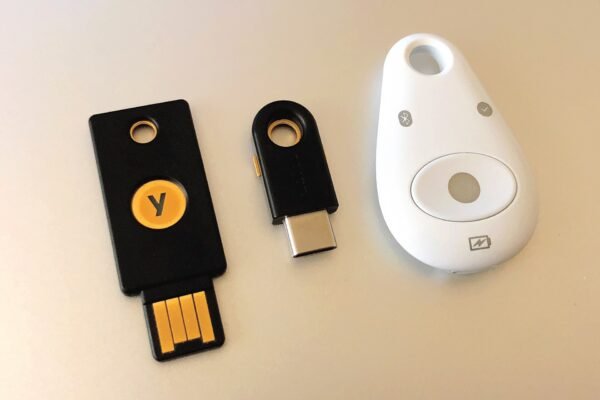
- Turn on two-factor authentication if it is not already on.
- Contact your bank immediately if you shared payment details.
- Run a security scan and install any pending updates; our article on keeping software up to date explains why that matters.
- Report it to the police or your national fraud center.
The bottom line
Phishing works by making you act before you think. A five-second pause to check the sender and the link, and a habit of going to websites directly, will protect you from the vast majority of attempts.
Common lures in 2026
| Lure | What it says | What to do |
|---|---|---|
| Parcel delivery | A package could not be delivered; pay a small fee | Check tracking on the courier’s official site |
| Bank alert | Suspicious activity; confirm your details | Call the number on your card |
| Tax refund | You are owed money; enter bank details | Tax authorities rarely contact you this way; check your official account |
| Boss or supplier | Urgent payment or new bank details | Confirm by phone with someone you know |
| Account suspended | Sign in now or lose access | Open the app or type the address yourself |
| QR code | Scan to pay or view a document | Be wary of QR codes in emails, letters or on parking meters |
How businesses are targeted
Criminals often aim at businesses because the payoff can be larger. A common tactic, known as business email compromise, involves an email that appears to come from a manager or supplier asking for an urgent payment or a change of bank details. These messages may contain no links or attachments at all, so security software does not always catch them.
The best protection is a simple rule: any request to make an unusual payment or change bank details must be confirmed by phone, using a number already on file, before money moves.
Frequently asked questions
Can I get hacked just by opening an email?
It is rare with up-to-date software. The main danger comes from clicking links, opening attachments or entering details. Keeping your email app and device updated reduces the risk further.
Why do phishing emails still work if people know about them?
They rely on timing, stress and trust. A convincing message arriving when you are busy or expecting a delivery can catch anyone, which is why the habit of pausing matters.